


Arabic Live TV
3.421.00 Reviews
App Specs
- Version
- 1.0.16
- Updated On
- License
- Free
- Downloads
- 500,000+
- Developer
- Hajar Lamlih
- Categories
- Events
- Platform
- Android
Screenshots
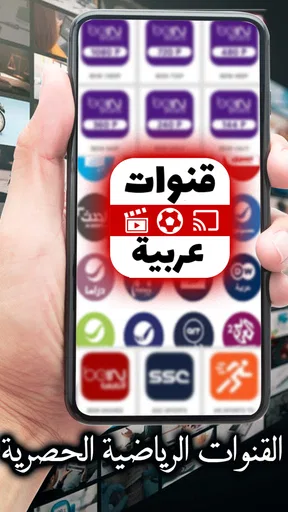
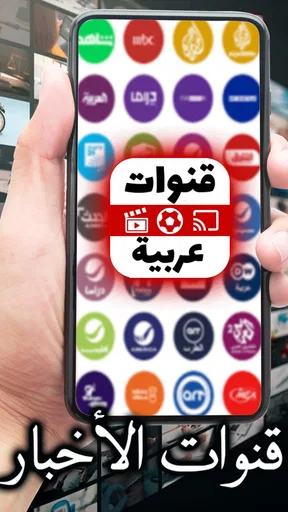
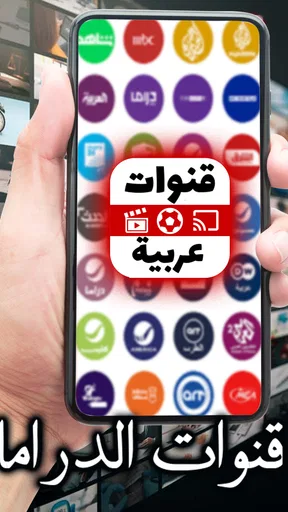

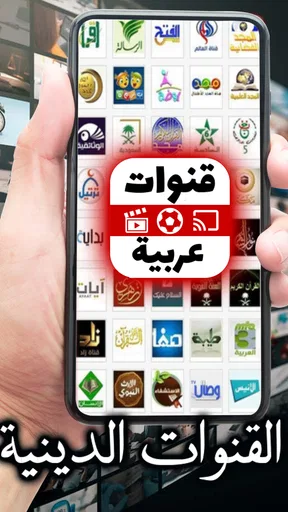
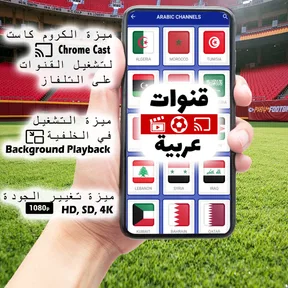
 Analysis by AppCompare
If I were choosing an Arabic-language TV app for someone who relies on clear, uncomplicated navigation, I would treat the layout as part of the viewing experience, not a minor detail. A live stream is only useful if you can find it, start it, and keep watching without a confusing sequence of menus. Arabic Live TV is an Events app by Hajar Lamlih, and its stated focus is live football and streaming events on Arabic TV. That gives it a more specific purpose than a general entertainment library: it is aimed at people who want to tune in while something is happening.
In practical terms, that focus may suit Arabic speakers living away from familiar broadcasters, households that want Arabic programming available on a phone or tablet, or viewers who prefer to browse live options rather than plan a watchlist. I would not approach it as a replacement for every streaming service. Its value depends on whether the live Arabic content is what you want at that moment, and whether watching on a mobile device fits your routine.
Readability and finding a stream
The strongest accessibility point in the original experience is its straightforward feel: the interface is described as simple, with search and a trending area to help people get to something to watch. That can be useful when you do not want to learn a complicated catalogue or scroll through unrelated recommendations. Search is especially practical if you already know the channel or programme you are looking for; the trending section offers a different route when you have no particular choice in mind.
There is a trade-off between those two routes. Search is only as helpful as the terms you can enter and the results the app returns, while trending is better for browsing than for locating a specific event. I would use search when I have a clear target and use the trending area as a starting point when I have a few minutes to explore. That small distinction can save time, especially on a phone where repeated scrolling is tiring.
Arabic is central to the app’s purpose, which is a welcome fit for people seeking Arabic TV. At the same time, a viewer who is still learning Arabic or who navigates more comfortably in another language may find the app harder to use if its controls are unfamiliar. The existing review experience notes a desire for more language choices in settings; that is a meaningful consideration for mixed-language households, not just a cosmetic preference.
Motor and sensory considerations
A simple interface can reduce the number of taps and decisions needed to start watching, which may help people who find small, repetitive interactions difficult. Search can also be easier than scrolling through a long set of channel choices. But mobile viewing still asks you to handle a relatively small screen, tap controls accurately, and keep the device positioned comfortably. If those actions are inconvenient, a larger screen or a familiar television setup may be a better fit.
For sensory comfort, the appeal of a live stream is that it brings an event straight to the screen, but live viewing also means less control over pacing than an on-demand programme. A viewer who needs frequent pauses, a quiet viewing environment, or a more flexible schedule should weigh that difference before settling in. In an everyday setting, I would start a stream when I have enough time to watch without rushing, rather than opening it during a task that will repeatedly pull my attention away.
Worth Reading Before You Choose

Flipboard Shows What News Apps Must Do Beyond the Feed

Switching to Android Auto Means Rethinking Your Driving Routine

Google Calendar Makes a Crowded Week Easier to Manage

Ludo King Makes the Most of the Minutes Between Plans

Baby Panda World Brings Quick Play to Modern Phones, but Its Game Library Feels Busy

ESPN’s Live Game View Makes Following Close Games Easier
The app’s reported streaming experience is described as smooth, with few interruptions, and the ads are characterized as present but not especially disruptive. That is encouraging for people who are sensitive to frequent breaks, although an ad can still interrupt the flow. I would keep expectations practical: a live stream depends on the connection and the viewing environment, so a stable place to watch is preferable to assuming the experience will feel identical everywhere.
Where it fits into a day
Arabic Live TV makes the most sense when you want to check in on live Arabic programming without making television viewing a whole setup. For example, you might have a short break at home, open the app, use search to find a familiar channel, and watch for a while on a tablet. If you do not know what is on, the trending area gives you another way to decide. That is a more realistic use than expecting a phone app to replace a full evening of television for every household member.
Its live-event emphasis is also a useful distinction from on-demand services. A conventional streaming library is usually a better choice when you want to pause, resume later, or pick a particular film or episode at your own pace. A live-TV app is better suited to the feeling of tuning in now, especially for a match or event you do not want to catch after the fact. If control over replay and a large catalogue matter more to you than immediacy, I would choose the on-demand option instead.
For a shared home, I would treat the phone or tablet as a convenient personal screen rather than assume it will automatically work as a communal TV replacement. One person can watch while another uses the room, and the device is easy to move around. On the other hand, small-screen viewing is less comfortable for a group, and casting or television compatibility should not be assumed. If a family plans to watch together, it is worth checking how the app behaves on the device they intend to use before relying on it for a particular event.
Limits to consider before relying on it
Live viewing brings a practical question: what happens if you miss the start or your connection drops? I would not plan around replay or catch-up unless I had checked that option in the app itself. That is not a criticism of live TV as a format; it is simply a difference from services built around saved episodes. If a match or programme is important to you, opening the app a little before you want to watch gives you time to locate the stream and settle in.
Another useful habit is to test your preferred route before an event begins. Search for a channel you recognize, then try browsing the trending area on a separate occasion. This tells you which path feels easier and avoids doing all the exploring while you are eager to watch. If Arabic interface text is a barrier, asking a more comfortable Arabic reader to help you identify the main navigation once may make later visits simpler, though that will not replace having language choices that suit every viewer.
The app is free and rated for Everyone, so it is easy to consider for general household use, but those labels do not tell you whether its particular channels fit your tastes or whether its interface suits your needs. I would judge it by a short, low-pressure trial: can you find something relevant, read the controls comfortably, and watch for the length of time you need? If not, a broadcaster’s own app, a familiar TV service, or an on-demand platform may be more suitable, depending on what you want to watch and how you prefer to control it.
Getting Started with Arabic Live TV
First things first, downloading Arabic Live TV is a breeze. Whether you’re on Android or iOS, it's just a quick search and tap away. Once you’ve got it on your device, you’re welcomed by a pretty sleek and simple interface. No fuss, no muss. It’s designed to get you straight to the content you love without a lot of navigation headaches.
Exploring the Features
Now, let’s talk features. You’ve got a whole array of channels, from news to entertainment, and even some niche stuff that’s perfect for when you’re feeling like exploring something new. The app offers live streaming, which means you can catch up on your favorite shows and events as they happen. The streaming quality? Surprisingly solid! I mean, it’s not going to replace your HD TV, but for on-the-go viewing, it’s more than enough.
Oh, and here’s a cool feature I found: there’s a section where you can check out what’s trending. It’s like they know you just want to jump into what everyone else is watching without having to decide. Plus, with their user-friendly search, finding specific channels or shows is a cinch. No more endless scrolling, which is a win in my book!
User Experience
The app does a pretty good job of keeping things smooth and intuitive. You know how some apps just seem to freeze up or lag at the worst times? None of that here. The developers seem to have put in the work to ensure you’re not dealing with buffering or crashing issues, which is honestly a relief.
I also noticed that there are minimal ads. I mean, they’re there, but they’re not obnoxious or disruptive. It’s like they understand you’re here to watch TV, not commercials, and I totally appreciate that.
Compatibility and Accessibility
Switching between devices? No problem. The app runs smoothly whether you’re using a phone or tablet. Plus, the interface adapts nicely to different screen sizes, so you’re not squinting at tiny text or awkward layouts. And for those who might not be super tech-savvy, the app offers a help section that’s actually helpful. Imagine that!
One thing I’d love to see in the future is more language options in the settings. While it’s aimed at Arabic speakers, having a few more language options for navigation could broaden its audience even further.
Final Thoughts
Overall, Arabic Live TV is a solid choice if you’re looking to stream Arabic channels. It’s got a clean interface, a robust selection of channels, and the streaming quality is pretty reliable. While it doesn’t have all the bells and whistles of some bigger streaming platforms, it doesn’t need them. It knows what it’s about and delivers exactly that.
So, if you’re in the market for a straightforward, no-nonsense app to catch up on Arabic TV, give this one a shot. It’s like having a little piece of home, right in your pocket. Happy watching!
Its current version is 1.0.16, and it supports Android 7.0 and later. The app has a 3.3 average from around 4,000 ratings, with more than 100,000 installs. I see those figures as a reason to approach it with measured expectations rather than as a guarantee that every viewer will have the same experience. It is free to install, which makes a quick trial a low-commitment way to see whether its Arabic live programming and navigation work for you.
My recommendation is quite specific: try it if live Arabic TV is the main thing you want and you value a direct route to channels over the deep controls of a large streaming platform. Skip it if you need reliably accessible controls in a language other than Arabic, depend on catch-up viewing, or plan to watch as a group on a television without first checking that setup. For viewers whose needs match its focused purpose, it can be a handy way to keep Arabic programming close at hand; for everyone else, a service built around flexible playback or a larger shared screen will likely feel more accommodating.
Pros
- Wide range of Arabic channels available.
- High-quality streaming with minimal buffering.
- User-friendly interface for easy navigation.
- Option to save favorite channels for quick access.
- Supports multiple devices for flexible viewing.
Cons
- Occasional ads interrupt viewing experience.
- Limited offline content availability.
- Requires stable internet for best performance.
- Some channels may have regional restrictions.
- No parental controls for content filtering.
FAQs for Arabic Live TV
What is Arabic Live TV and what channels does it offer?
Arabic Live TV is a streaming application that provides access to a wide variety of Arabic television channels. Users can enjoy live broadcasts of news, entertainment, sports, and cultural programs from across the Arab world. The app typically includes popular channels such as Al Jazeera, MBC, and Rotana, among others.
Is Arabic Live TV free to use, or are there subscription fees?
Arabic Live TV offers both free and premium subscription options. The free version includes access to a limited selection of channels, while a premium subscription provides a more extensive range of content, including exclusive channels and ad-free viewing. Pricing details for the premium subscription can be found within the app.
Can I watch Arabic Live TV on multiple devices?
Yes, Arabic Live TV supports multi-device access. Once you create an account, you can log in and stream content on various devices, including smartphones, tablets, and smart TVs. The app is compatible with both Android and iOS platforms, allowing for seamless viewing across different devices.
Does Arabic Live TV support offline viewing?
Currently, Arabic Live TV does not support offline viewing. The app requires an active internet connection to stream live channels. However, some content may offer catch-up services, allowing users to watch programs they missed, provided they have an internet connection.
How reliable is the streaming quality on Arabic Live TV?
The streaming quality on Arabic Live TV is generally reliable, but it can vary based on your internet connection speed. The app is designed to automatically adjust the video quality to match your connection for a smooth viewing experience. For the best quality, a stable high-speed internet connection is recommended.


